Guide
How to prevent stockouts
Why items run out — suppliers that slow down, demand that jumps, Amazon restock limits — and the settings, flags and alerts in Skuvelo that catch each one before the shelf is empty.
Last updated
A stockout is almost never a surprise on the day it happens. The order that would have prevented it was due weeks earlier, and something made it late or too small. Each cause below has its own remedy in Skuvelo.
Why items run out
The supplier got slower
If a supplier now takes 45 days to deliver and the plan still expects 30, every purchase is placed two weeks late. Nothing looks wrong until the stock is gone.
Demand jumps faster than the buffer
A promotion, a viral post or a busy season sells through the safety stock before the next delivery lands. The buffer was sized for normal weeks.
Amazon cannot take the stock in time
Stock sent to FBA is not sellable until it arrives and is checked in, and Amazon's storage limit caps how much you can send. A send that is late or cut short runs the listing out even when your own warehouse is full.
Set a reorder point and safety stock that fit the item
Skuvelo works out a reorder point and safety stock for every SKU from its demand and lead time, and recalculates both as they change. How much buffer each item carries comes from that item's own margin weighed against the Cost of holding stock you set for the workspace, so a high-margin item is protected more than a thin-margin one. Raise the Safety-stock floor (days of cover) on items you cannot afford to run out of. The reorder points and safety stock guide covers each setting.
To check the numbers by hand first, try the reorder point calculator and the safety stock calculator.
Plan from how fast suppliers really deliver
When receipts show a supplier delivers slower than the plan expects, Skuvelo offers Use observed lead time once it has at least 5 receipts from that supplier for the item. Applying it moves the reorder point to match what actually happens. See keeping lead times true.
Watch the stock flags on the Plan
In Skuvelo · Planning
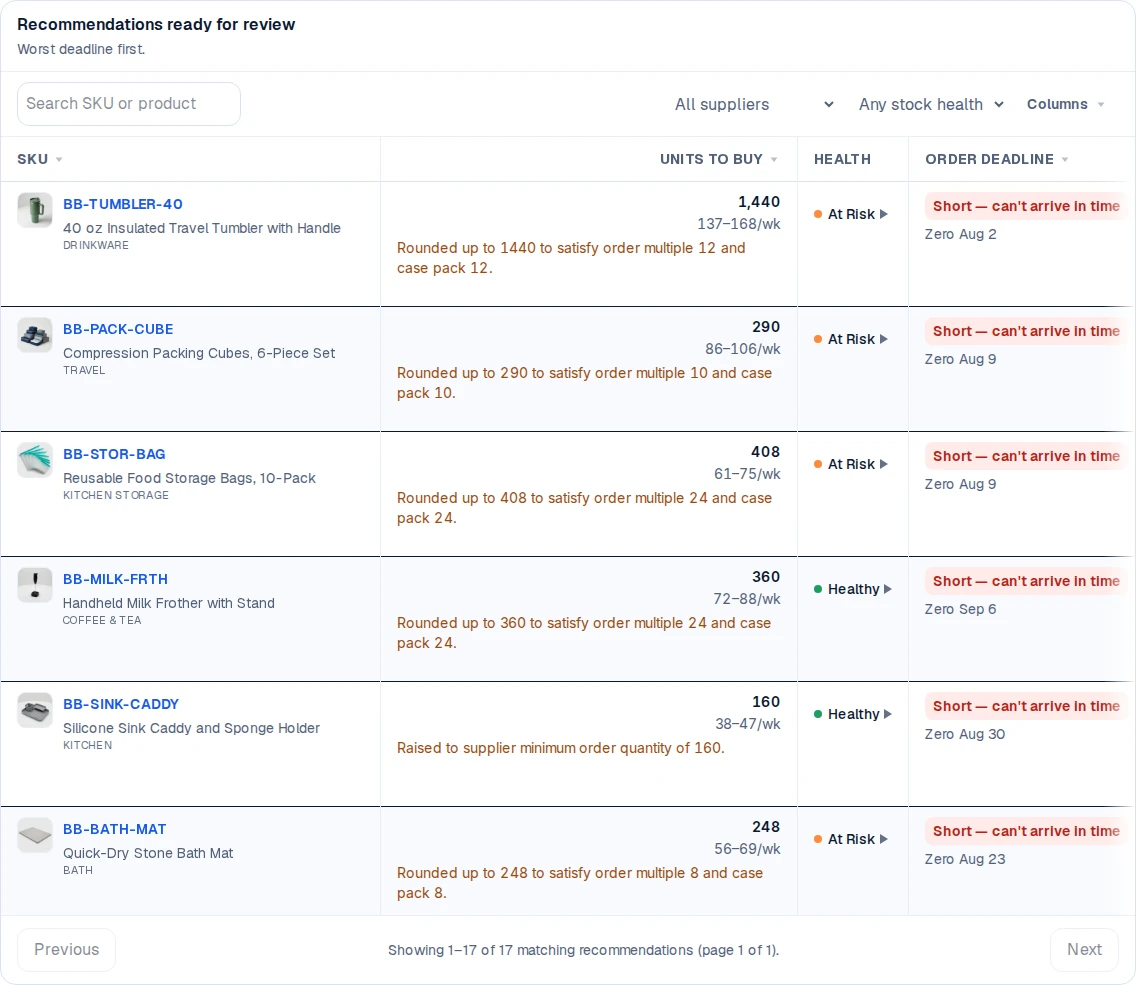
On Plan → Replenishment, each row says when an item may run out before more arrives, and Stock to watch counts the items that are low, at risk of running out, or already out. Today shows Projected stockouts: the items with a dated stockout in the current plan. Stock on a purchase order that is on hold still counts as cover; when it is the only reason no order is due, the item's page names that order so you release it rather than raise a second one.
Get an alert before the order-by date
Skuvelo alerts you in the app and by email when an item's projected stock falls below its safety buffer sooner than a new order could arrive. The alert carries the SKU, the date to order by, the quantity and the cash it needs. See stock and reorder alerts.
Send to Amazon early enough
For FBA, Skuvelo plans each send from your Amazon sales and the Days to reach Amazon you enter or it measures, and when sends will not fit your storage limit it gives the space first to the units that stop an item running out. See restocking Amazon FBA.
Try the plan on your own stock.
Start a trial with your own sales and stock, or look around the live demo first.