Guide
Connecting your sales channels
What's in the integrations directory, what each connector actually does today, and how to connect one.
Integrations, under Options in the left rail, is one directory for every channel Skuvelo can connect — online stores, marketplaces, point of sale, accounting, and shipping — plus your existing connections shown first, with their health.
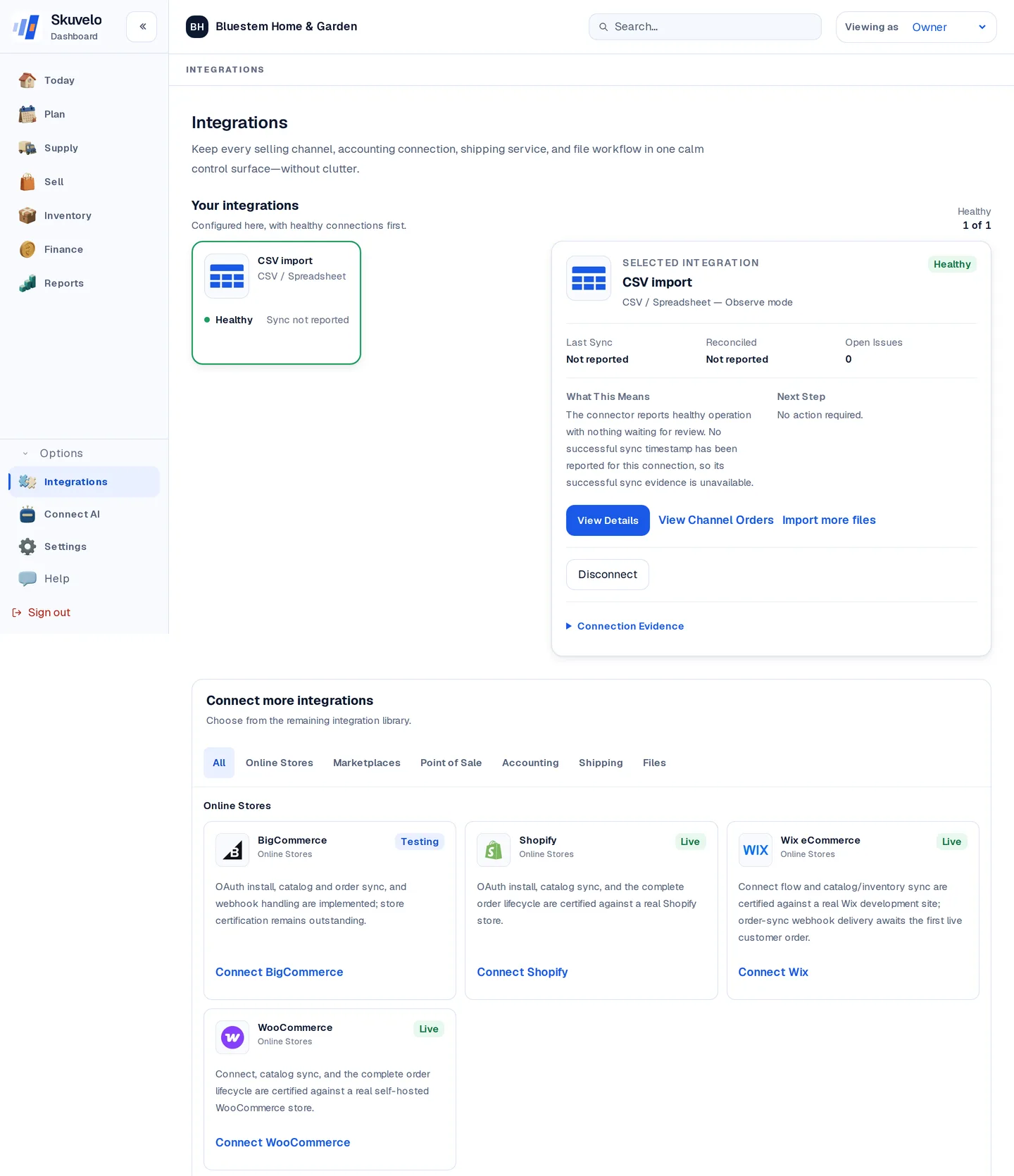
What the badges mean
Every connector in the directory carries a badge:
- Live — connect your store or account today and its data flows in automatically, whether that is a Shopify store, a WooCommerce store, a Wix store or any other connector marked Live.
- Beta — open to every customer now. Connect your store and help shape it on its way to Live.
- Planned — a direct connection is on the way. Until then, that platform's data comes in by spreadsheet or CSV import into the same plan.
The badge on each tile tells you which of these it is.
Connecting a channel
Click Connect on a tile and follow the instructions for that platform. Some connections use an approval flow on the platform; others ask you for an API key or another platform-specific detail. Every connect page states what access it is requesting. Skuvelo encrypts stored connection credentials and does not ask for your platform password.
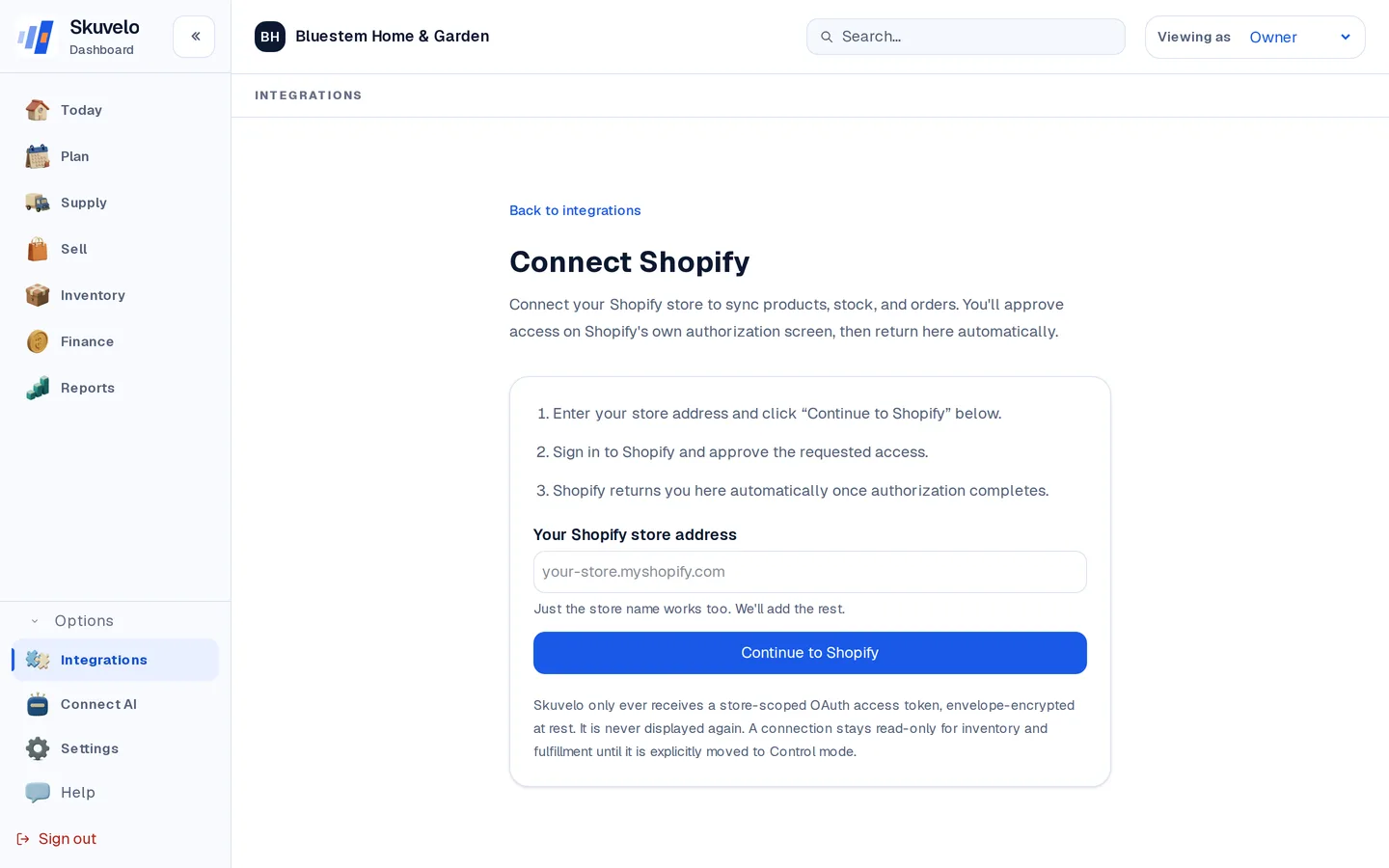
A new connection starts in Observe mode regardless of which channel it is: Skuvelo reads your catalog and order history and shows you what it sees, but nothing is written back to your store until you explicitly arm write access. See getting started for what Observe and Assist mode mean for your first week.
No connector for your channel yet?
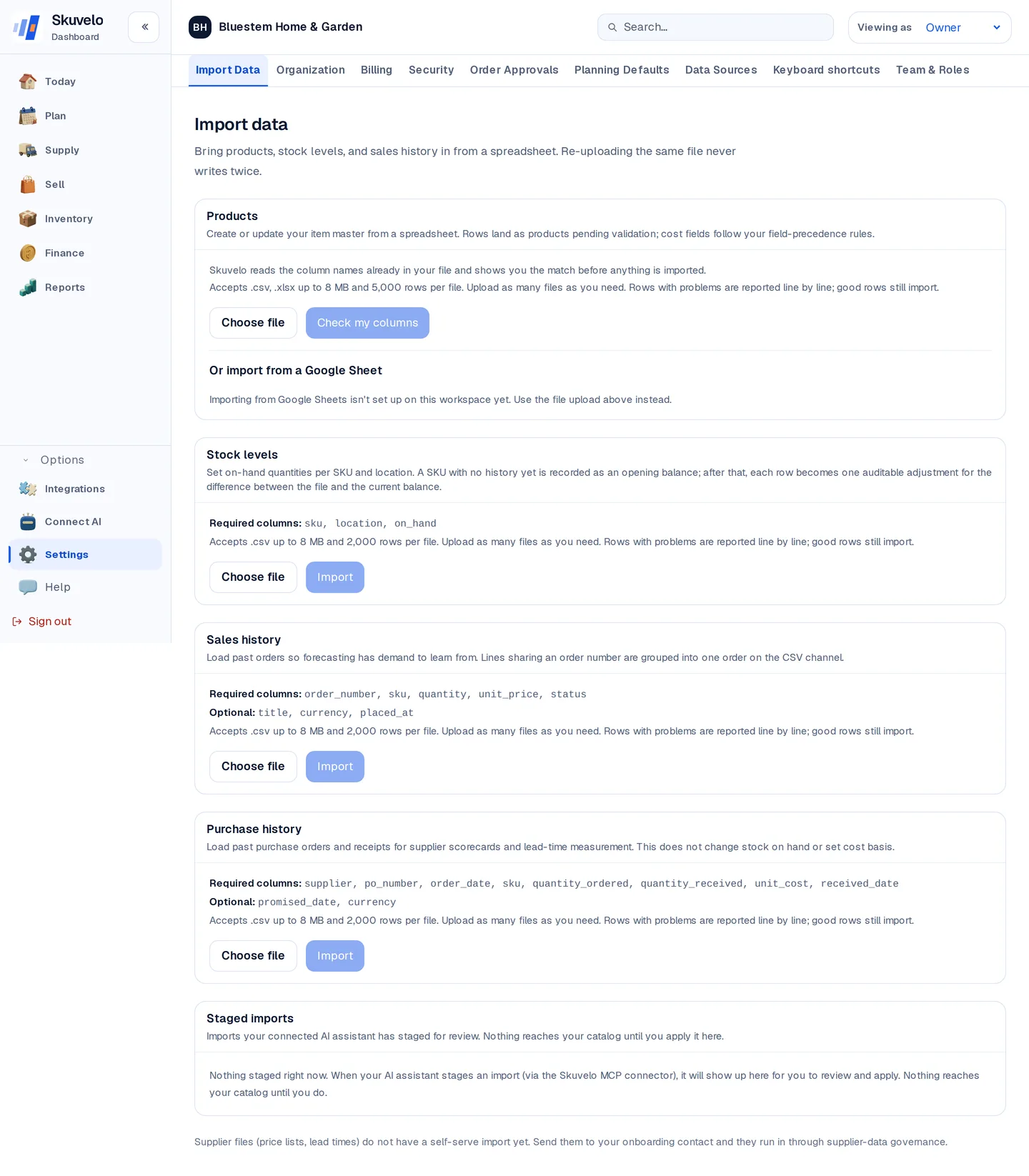
Settings → Import data brings products, stock counts, sales history, and purchase history in from spreadsheets, independent of any channel connection. Re-uploading the same file never writes the same row twice, and if some rows have problems, the good rows still import while the problem rows are reported line by line rather than failing the whole file.
Try the plan on your own stock.
Start a trial with your own sales and stock, or look around the live demo first.