Guide
Counting and adjusting inventory
Run a cycle count from plan to posted history, and write off damaged or broken stock with a one-off adjustment when a count isn't warranted.
On-hand quantity in Skuvelo comes from you, not from a sales channel — see getting started for why. This is how you establish it and keep it current: a cycle count for a planned, structured check, or a one-off adjustment when you just need to correct a number.
Start from the decision table
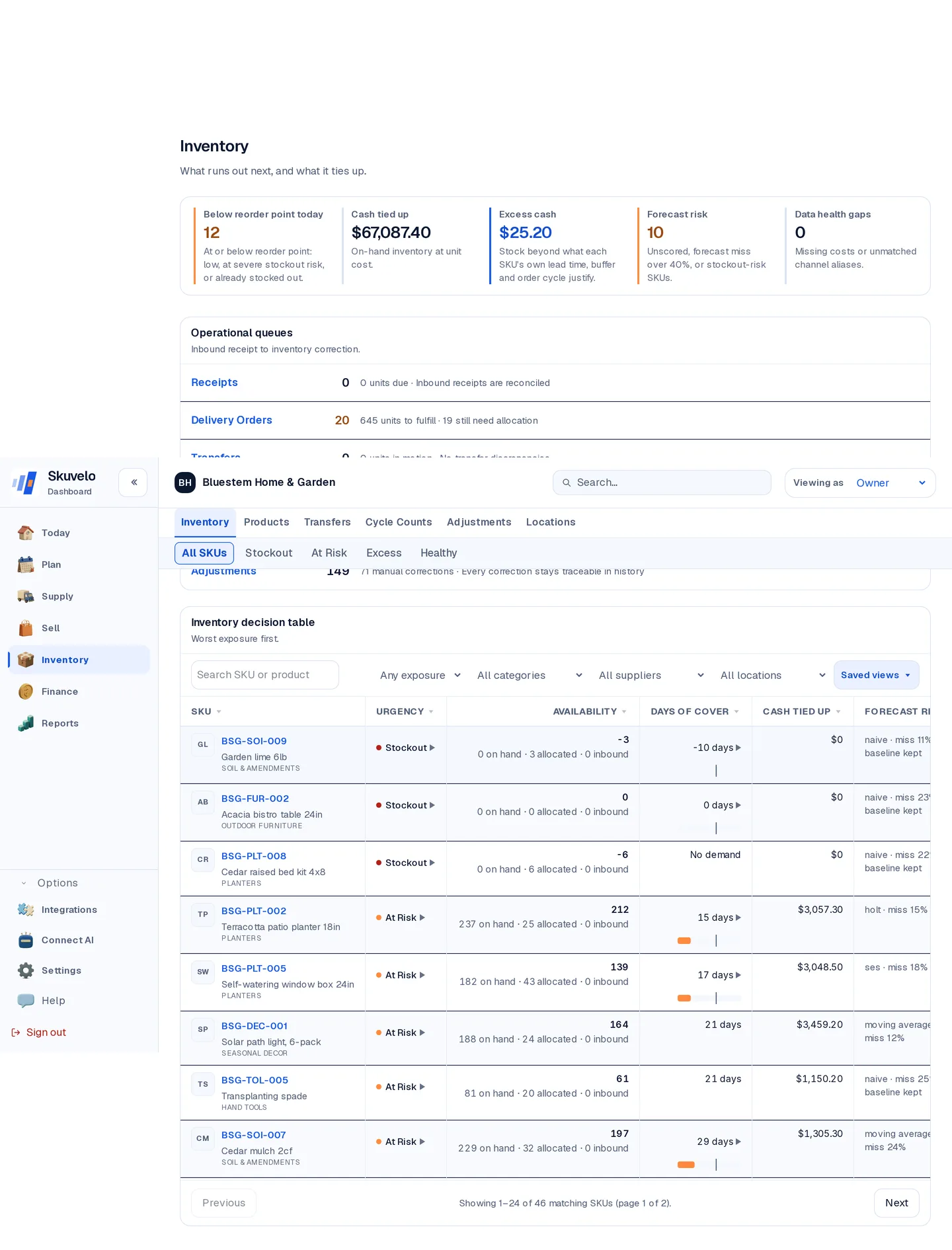
Inventory opens on a decision table, not a plain product list: every SKU ranked by urgency, with availability, days of cover, and a recommended action. The health chips — Stockout, At Risk, Excess, Healthy — are shareable links, so filtering to one segment and sending the URL to a teammate shows them exactly the same filtered view.
Run a cycle count
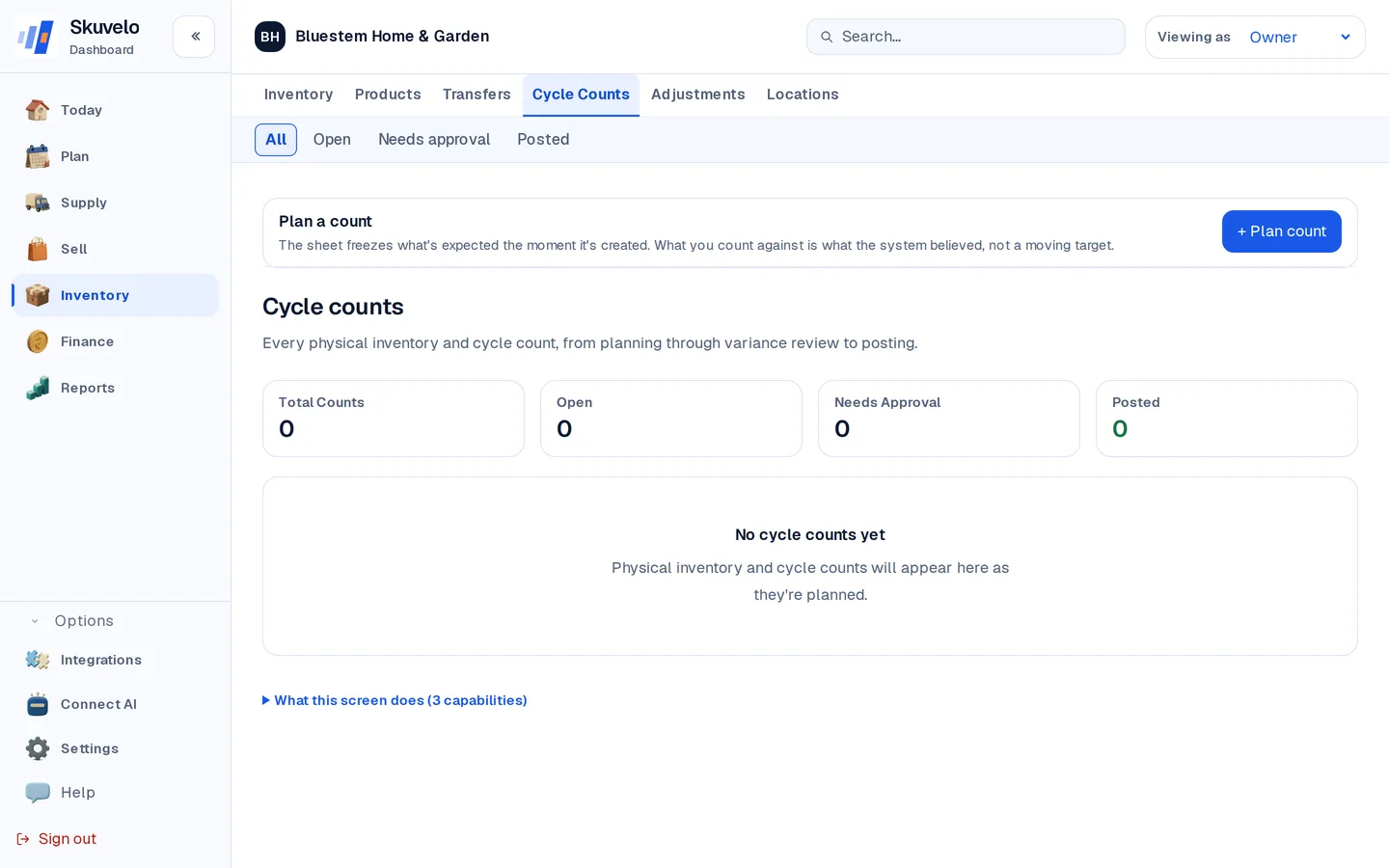
- Open Inventory → Cycle counts and click + Plan count.
- Pick the location to count and add each SKU with + Another item. Leave Blind count on so whoever counts records what they physically see rather than what the screen expects, then click Plan count.
- Click Assign to me, then Start counting. The expected quantities stay hidden while the count is open, so the count itself is never biased by the system's number.
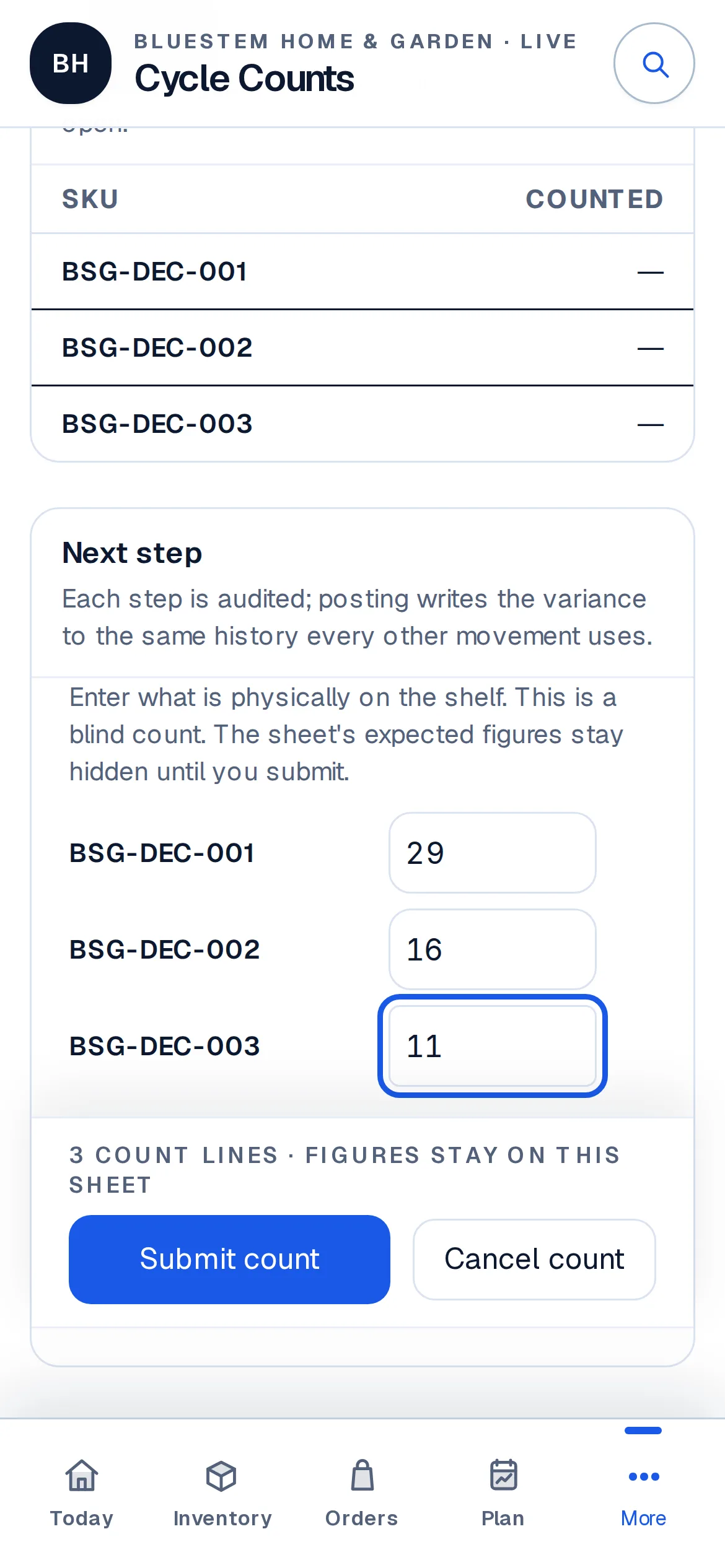
- Enter what's physically on the shelf for each line — a real
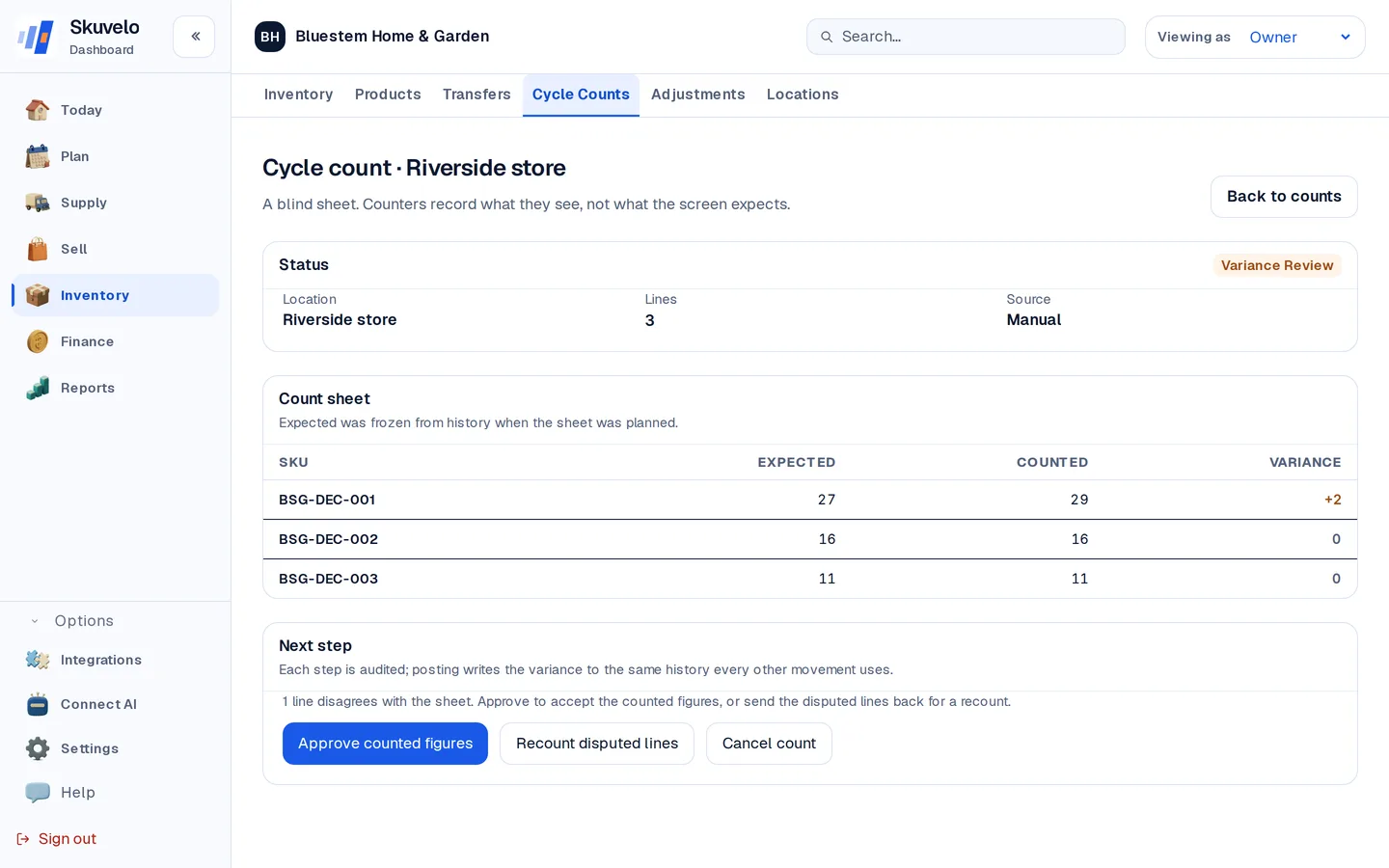
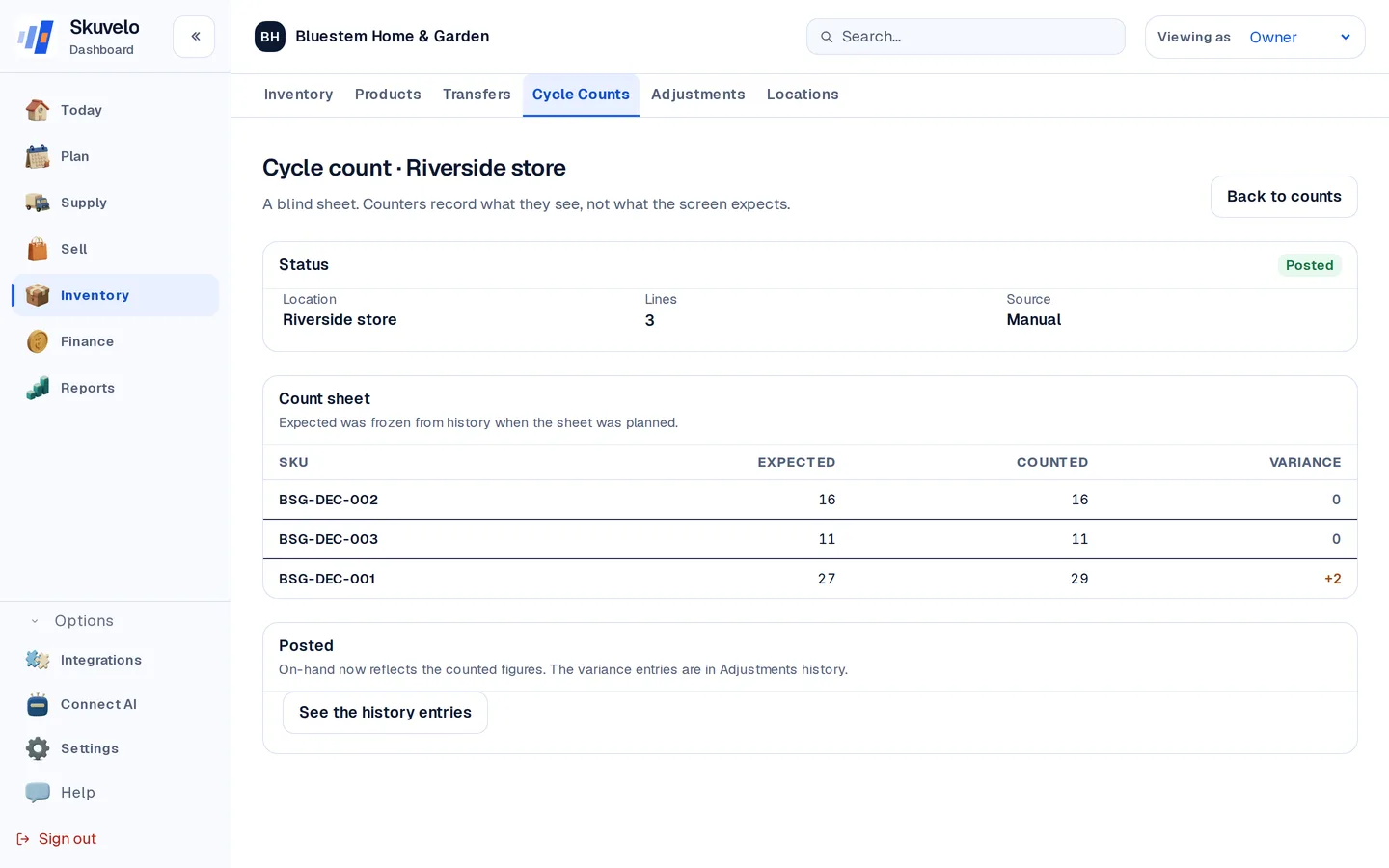
0is a valid count — and submit. This works the same from a phone on the floor as from a desk. - Review the variance: Skuvelo now reveals the expected figures alongside what was counted, line by line. Approve the counted figures, or send a disputed line back for a recount.
- Click Post to history. On-hand updates to match what was physically counted, and every variance becomes its own audited entry — nothing is silently overwritten.
Stock that moves during a count
You don't have to stop selling to count. What you enter for a line is taken as the truth at the moment you enter it, and everything Skuvelo records after that moment is applied on top when you post. So an order, a delivery or an adjustment recorded while the count is open is never mistaken for missing or extra stock, even if you count a shelf, keep going, and submit the sheet later. The variance you review is only the difference the shelf actually shows.
If you counted 6 and an order for 2 is recorded before you post, on-hand posts at 4, not 6.
One case to watch is an order that left the shelf before you counted but only reached Skuvelo afterwards, for example because a sales channel hadn't synced yet. Your count already left those units out, and the late order takes them off again, so on-hand ends up low by those units. Before you count items that are selling right now, open Integrations in the sidebar and check that each sales channel's card says Synced a few minutes ago, or count those items once the day's orders have come through. If a card says Sync not tracked, that channel can't show this, so count its items once the day's orders are in. If a posted count comes out short, check that product's recent orders before you count it again.
Sending a count back for a recount needs an owner, admin or planner. If you can post counts but not approve them, ask one of them to do it.
If more stock was recorded as leaving after the count than the shelf held, Skuvelo won't post it, because that would take on-hand below zero. Check the orders and adjustments recorded since the count, then click Recount disputed lines, or cancel the count.
Make a one-off adjustment
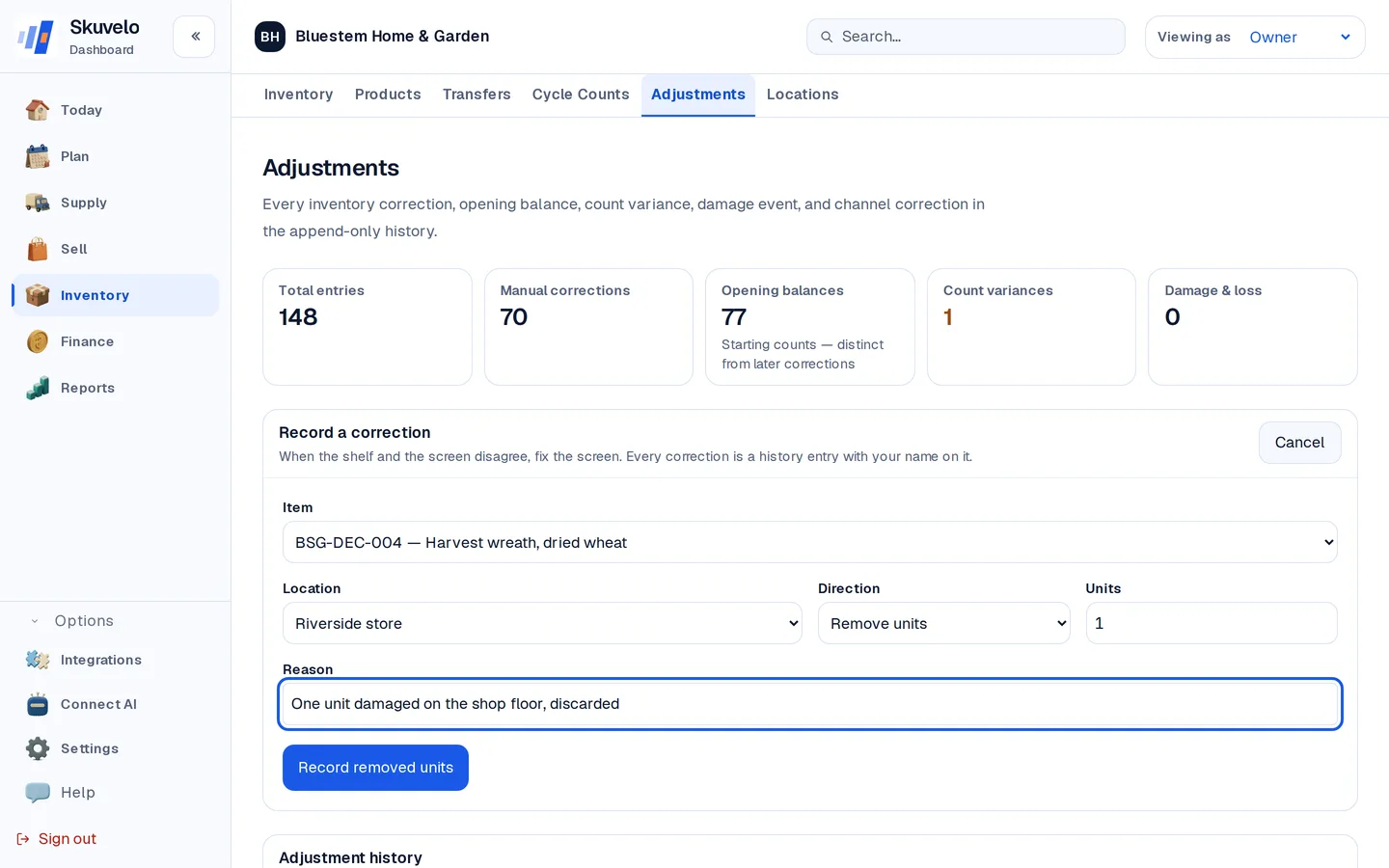
For a single correction that doesn't need the full count workflow — shrinkage, damage, a known miscount — use Adjustments → New adjustment. Pick the SKU and location, choose Add or Remove units, pick what happened from the list (damaged, theft, found stock and so on), and write down why. Every adjustment carries your name in the history, so nothing lands on-hand without a record of who changed it and why.
Record opening balances
When you start, tell Skuvelo what is already on the shelf. The setup guide's Record opening balances step opens the same form with Opening balance (first count) chosen; you can also pick it yourself under *What happened*. Enter one item and location at a time. An opening balance is only accepted for an item that has no history yet at that location — after that, use a count or an adjustment — and it is what the Opening balances figure counts on Adjustments. Uploading a stock-levels spreadsheet records opening balances too.
Try the plan on your own stock.
Start a trial with your own sales and stock, or look around the live demo first.